Chess Duels Updates & Patch Notes
Launch features, how to track changes, and what to verify after every Chess Duels patch.
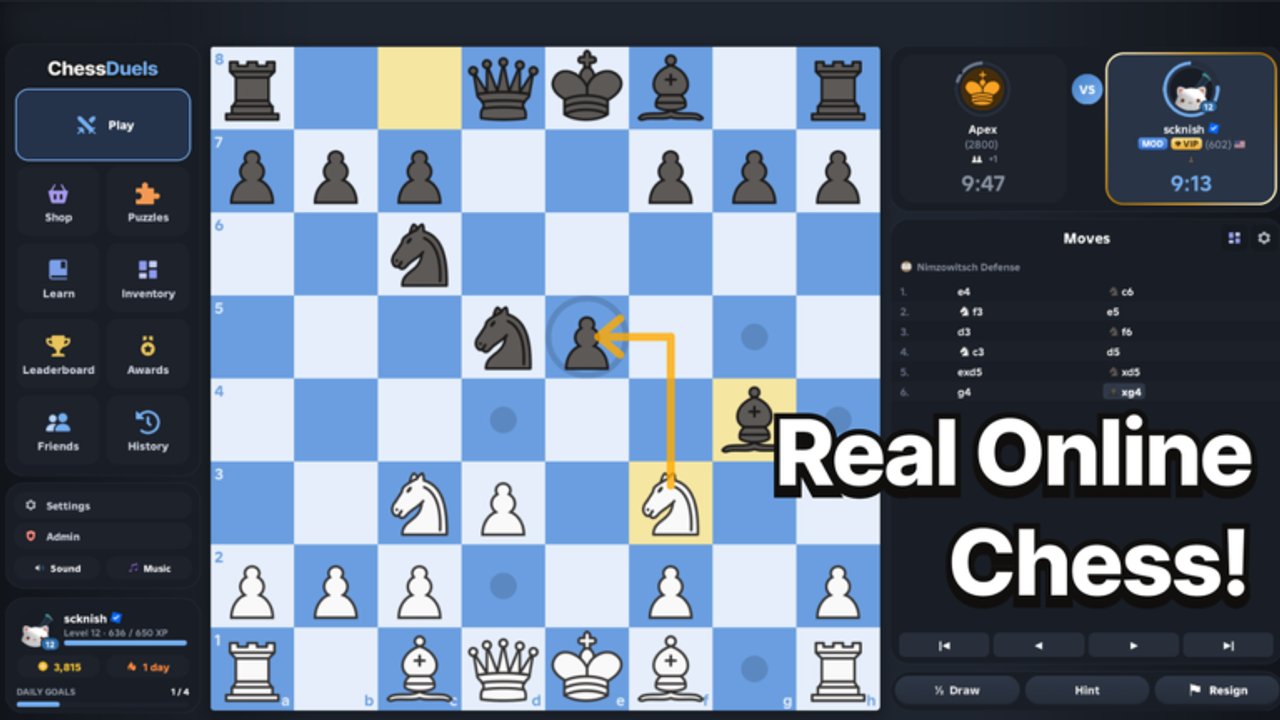
The Updates hub tracks Chess Duels patches, feature drops, and the practical checklist players should run after every change. Chess Duels by Chess Duels Group went live on Roblox on 27 October 2026 (place 89083628291452, universe 10773277140). At launch the experience already offered rated Bullet, Blitz, and Rapid play, a large puzzle library (thousands of positions), lessons, a post-game Review tool, cosmetics, daily goals, and a global leaderboard. Visits quickly climbed into the multi-million range with thousands of concurrent players at peak hours.
This page explains what shipped on day one, how to notice new patches without relying on rumor, and what to re-check in-game after an update so you do not waste a session on outdated assumptions. For onboarding after a break, use Getting Started. For reward claims when codes exist, watch the Codes Hub. For tooling discussion framed with safety notes, see Scripts.
Launch day — 27 October 2026
Launch content focused on a complete competitive chess loop inside Roblox:
- Rated matchmaking across Bullet, Blitz, and Rapid clocks so different time preferences share one skill ecosystem.
- Puzzles and lessons for tactical pattern training between matches.
- Review so you can scrub critical moments instead of only rematching blind.
- Daily goals that nudge healthy volume (games, puzzles, lessons) with cosmetic or progression rewards.
- Cosmetics shop for boards, pieces, and flair that never replace calculation.
- Global leaderboard for long-term rating visibility and community competition.
No confirmed promo codes shipped with launch. Social posts that claim free Robux or rating boosts should be treated as unverified until listed on the Codes page with clear redemption steps.
Features players should expect to see evolve
Post-launch updates typically touch one or more of these surfaces:
- Matchmaking and rating — soft resets, provisional windows, or mode-specific tuning.
- Puzzle and lesson catalogs — new themes, difficulty curves, or daily sets.
- Shop and cosmetics — rotations, prices, bundles, or seasonal items.
- UI and controls — panel layout for Play, Puzzles, Learn, Review, and Customize.
- Anti-abuse and stability — disconnect handling, chat filters, performance.
When Chess Duels Group ships a meaningful change, summarize it here in a dated child page (or expand this hub) so English and localized readers share one timeline. Mark timely notes with featured: true so they surface on the home page.
How to track patches reliably
Do not depend on a single Discord rumor. Use a short verification loop:
- Roblox game page — check the official Chess Duels experience for description or thumbnail changes and recent update timestamps.
- In-game banners or changelogs — note any modal that appears on join after a client refresh.
- This Updates hub — we translate patch impact into player language (what changed for your rating, puzzles, and shop).
- Cross-links — if a patch adds codes, mirror the claim on Codes; if it changes onboarding, refresh Getting Started.
Hard refresh or rejoin the experience after Roblox finishes publishing so you are not on a stale server. If friends report different UI, compare place versions before assuming a bug.
Post-update checklist (run every time)
After any patch, spend five minutes before grinding rated games:
Rating and leaderboard
- Did ratings reset, soft-reset, or stay continuous?
- Are Bullet, Blitz, and Rapid still separate tracks with familiar icons?
- Does the leaderboard load and show your previous standing?
If a reset happened, lower your ego targets for a week and focus on clean play. Re-read Climb Rating only after you confirm the rules of the new season.
Shop and cosmetics
- Did prices, featured bundles, or currency names change?
- Are owned cosmetics still equipped on your board?
- Any limited-time goal that replaces yesterday’s daily list?
Never spend Robux the second a shop banner appears; confirm the item is permanent or worth the window.
Puzzles, lessons, and Review
- Puzzle counts or themes refreshed?
- Lessons still reachable from the Learn panel?
- Review opening after a finished game without errors?
A broken Review tool means you should postpone deep rated blocks until you can learn from losses again. Use the Tools page for a panel-by-panel workflow that still applies after UI tweaks.
Codes and community tools
- Any new redeem UI or announcement pointing to gifts?
- Update Codes only with verified strings and rewards.
- Ignore “script that gives free rating” claims; see Scripts for safety framing only.
November 2026 notes
Roblox marked Chess Duels Updated on 13 November 2026. No public feature changelog was published with that timestamp. Read the dated November 2026 Update Notes for the player checklist (rating, shop, puzzles, Review, daily goals) and context on the mid-November community script wave documented on Scripts.
What this hub will publish next
Expect dated entries when Chess Duels Group changes rating rules, expands the puzzle set past the launch library, rotates major cosmetics, or ships quality-of-life controls. Between those posts, keep using Getting Started for fundamentals, Time Controls when clocks feel wrong for your style, and the Players Hub for ethical ladder habits.
Chess Duels moves quickly on Roblox. Bookmark this Updates hub, run the checklist after every join that feels different, and treat launch day—27 October 2026—as the baseline for everything that follows.
Frequently Asked Questions
Quick answers to common Chess Duels questions.
When did Chess Duels release on Roblox?
Chess Duels launched on 27 October 2026 from Chess Duels Group, with rated Bullet, Blitz, and Rapid plus puzzles, lessons, review, cosmetics, daily goals, and a global leaderboard.
Were there promo codes at launch?
No confirmed promo codes at launch. Watch the Codes Hub for verified strings; ignore unverified social claims until they are listed with redemption steps.
What should I check after a patch?
Confirm rating continuity, shop prices, puzzle or lesson access, and that Review still opens. Then resume play via Getting Started if you need a refresher.
Where do I report script or exploit rumors?
Do not use cheats. Read safety notes on Scripts and stick to ethical climb advice on the Players Hub.