Chess Duels Auto-Play Tools Compared
Feature-by-feature look at Stockfish hubs, best-move helpers, and Elo skin changers—plus the ban risks you cannot toggle off.
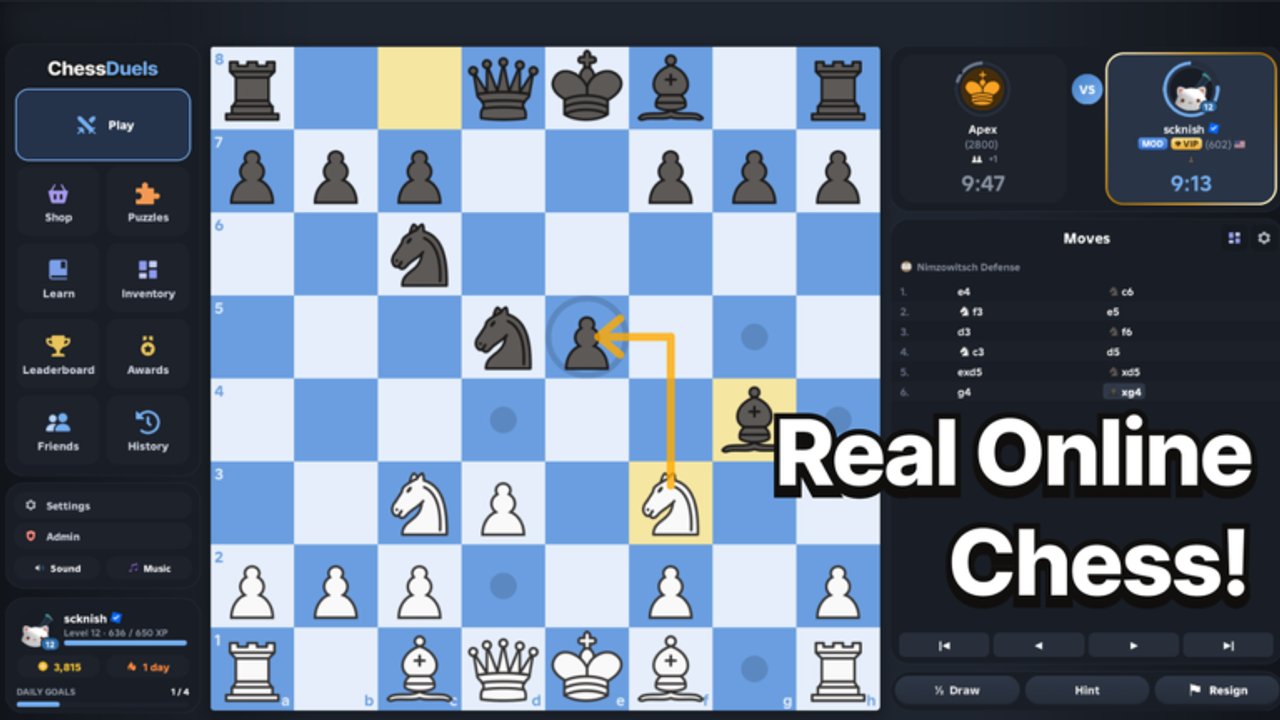
Why this comparison exists
Mid-November 2026 brought a second wave of Chess Duels community tools after the 27 October 2026 launch. Players hunting for Stockfish auto-play, puzzle solvers, best-move arrows, and cosmetic skin changers suddenly had more loadstrings than clear documentation. This page compares the builds that show up most often in that wave so you can tell them apart—and so you can decide not to use them.
Automation and third-party executors violate Roblox rules. Perfect engine play on rated Bullet, Blitz, or Rapid can get an account warned or banned. Malicious loadstrings can steal sessions. Prefer Climb Rating and fair daily goals if you want durable progress. For mechanical inject steps, see How to Execute Scripts. The parent Scripts Hub remains the overview; this page goes deeper on auto-play and related helpers only.
Open Source Best Move Player
The Open Source Best Move Player style helper leans on Chess Duels’ own analysis path (commonly described as calling in-game Bot.analyze) rather than shipping a full external engine binary. Authors market Titanic-level strength when depth is pushed high.
What players usually get:
- Best-move highlighting on legal squares
- Optional auto-play of the suggested line
- Strength tied to the live game’s analyzer instead of a separate Stockfish process
Pros for researchers: behavior tracks official analysis, so it can feel “native.” Cons: any rename of remotes or UI after a Roblox client bump (including the 13 November 2026 update timestamp with no public patch notes) can break the hook overnight. Treat forks that change the download host as new software—review before you inject.
Auto Chess–style automation
Auto Chess builds emphasize lobby and match loops more than pure evaluation overlays. Typical toggles include autoPlay, autoRematch, autoClaim, antiAfk, plus depth, time, and delay sliders.
Use-case reality check:
- Auto rematch on Bullet (under one minute) can queue dozens of rated games while you are away
- Higher depth plus zero delay looks robotic on the global leaderboard
- Auto-claiming rewards does not teach tactics; daily goals already pay coins without an engine
If you only wanted cosmetics currency, stop here and read the alternatives on the Codes Hub instead of automating claims.
Zynex Hub Stockfish auto-play and puzzle solver
Zynex Hub packs for Chess Duels are often shared as keyless Stockfish auto-play plus puzzle-solver UIs. Marketing usually promises engine-backed live moves, assisted daily puzzle clearing, and a hub panel so you do not edit raw Lua each session.
Keyless only skips a key system screen. You still need an executor, you still inject, and Stockfish-perfect Bullet is an obvious signal. The showcase video on this page shows what those solver overlays look like in practice. Keep puzzle farming off rated queues if your goal was learning—the 2000+ puzzle set and lessons exist so humans improve, not so bots clear streaks.
CM Hub
CM Hub builds sit in the same mid-November ecosystem: a multi-toggle hub aimed at Chess Duels with auto-play and helper overlays. Exact menus differ by author version, but the risk profile matches other hubs—rated automation, possible malware in reuploads, and sudden breakage after game or client updates.
When comparing CM Hub to Zynex or BARRAGE-style presets, ask three questions only: Does it expose delay controls? Does it separate puzzle mode from rated auto-play? Does the loadstring URL match a host you already trust? If any answer is no, do not run it.
Chess HV3
Chess HV3 is another named auto-play / helper build circulating in the same November 2026 script wave. Community posts describe best-move assistance and hands-free play similar to other Stockfish-facing tools. Treat version tags in the name as marketing, not a safety rating. HV3 today can be a different file tomorrow if the raw host is rewritten.
Never stack HV3 with a second auto-play hub in one session. Overlapping injects fight over the same board hooks, crash clients, and make crashes look like “undetected” drama instead of self-inflicted conflict.
BARRAGE and Robscript NO KEY (context)
The Scripts Hub already documents BARRAGE presets (Bullet / Human Like / Strongest, auto puzzle) and the Robscript NO KEY raw loader with best-move arrows, auto-play, and evaluation readouts. This page does not repeat their loadstring lines. If you need those feature lists or the executor pipeline, stay on Scripts Hub and How to Execute Scripts. Human Like presets add delays for theater—they do not make automation allowed.
Elo-banded SkinChanger (Elo 600–2400)
The Elo-banded SkinChanger family is different from move engines. Builds in this wave advertise local cosmetic swapping tied to displayed Elo bands roughly 600–2400, with on the order of ~50 piece-pair skins stored locally rather than purchased only through the official shop.
Important framing:
- Changing how pieces look on your client does not grant illegal moves
- Client-side skin tools can still violate Roblox rules and can still ship malware
- Official cosmetics remain the supported path—coins from play, daily goals, and any verified promos on Codes
- Do not confuse a skin changer with a rating hack; Elo numbers on the ladder still come from rated results (or from bans wiping them)
If your only goal is a fresh board look, buy or unlock skins in-game. Local skin dumps are not a substitute for the cosmetics shop’s supported inventory.
Side-by-side decision guide
| Goal | Tool family people cite | Honest tradeoff |
|---|---|---|
| Strongest rated moves | Stockfish hubs (Zynex, BARRAGE Strongest, HV3-class) | Highest ban heat |
| Native analyzer feel | Open Source Best Move Player | Breaks when analyze hooks move |
| AFK queue grinding | Auto Chess autoRematch | Fast rating noise + moderation risk |
| Puzzle clearing | Zynex / BARRAGE puzzle modes | Skips learning |
| Visual piece themes | Elo SkinChanger (~50 pairs, 600–2400 bands) | Still third-party; prefer official shop |
Pick one category if you insist on testing. Running five hubs “just to compare” multiplies malware and detection exposure for zero educational gain.
Safety rules that apply to every row above
- Assume every inject can cost the account—especially on a global leaderboard game.
- Never paste loadstrings into Roblox chat or stranger DMs.
- Prefer reviewing source or pinning known-good URLs; raw hosts can flip overnight.
- Disable auto-play before streaming so overlays do not dox your setup.
- After the 13 November 2026 Roblox “Updated” stamp (no public Chess Duels changelog), re-test nothing on your main until authors confirm compatibility—or skip scripts entirely.
Fair loop that still raises Elo
- Play Rapid before Bullet while you learn.
- Solve a short puzzle burst, then one lesson theme.
- Open post-game review on every serious loss.
- Claim daily goals for coins without automation.
- Track real improvement with Climb Rating.
Chess Duels already ships rated queues, thousands of puzzles, lessons, review, awards, and a cosmetics shop. Auto-play tools can win hollow games. They cannot replace the skill you keep when the executor is closed.
Related pages
- Scripts Hub — full feature map and general safety checklist
- How to Execute Scripts — executor attach, paste, and troubleshooting
- Climb Rating — fair Bullet / Blitz / Rapid improvement
- Codes — promo status and legitimate coin paths
Frequently Asked Questions
Quick answers to common Chess Duels questions.
What is the difference between Best Move Player and Stockfish hubs?
Best Move Player–style tools lean on Chess Duels’ in-game analyzer. Zynex-class hubs advertise external Stockfish-backed auto-play and puzzle solving. Both still require an executor and both carry ban risk.
Is the Elo SkinChanger safer than auto-play?
It does not move pieces for you, but it is still third-party client software. Prefer the official cosmetics shop and coins from daily goals. Malware risk remains whenever you inject.
Can I run CM Hub and Chess HV3 together?
No. Overlapping auto-play hubs fight over the same hooks, crash clients, and increase moderation exposure. Use at most one tool—or none.
Did the November 2026 script wave make tools undetectable?
No. More loadstrings appeared mid-November 2026; none of that removes Roblox rule violations or the obvious pattern of engine-perfect rated play.
Where should I go instead of auto-play?
Follow Climb Rating, use puzzles and review, claim daily goals for cosmetics coins, and check Codes only for verified promos—not for rating cheats.